
You have a document that matters. A trust deed. A seed phrase backup. A life insurance policy. The kind of file you would not email, would not drop into Google Drive, and would not leave unencrypted on a laptop your kids borrow for homework.
It needs to live somewhere that is encrypted, tamper-evident, and reachable by your family when the time comes. That is what SecureVault was built for.
This walkthrough covers the full journey of uploading your first sensitive document into SecureVault. What happens at each step, what the encryption actually does, and why the server never sees your file in readable form.
What is SecureVault?
SecureVault is BlockWill's zero-knowledge document vault. You store sensitive files (estate documents, crypto wallet backups, financial records, insurance policies) and every file is encrypted on your device before it leaves your browser. BlockWill cannot read your data. No employee, no server process, no government subpoena can produce a plaintext copy, because the plaintext never reaches our infrastructure.
The encryption runs entirely in your browser using the Web Crypto API, the same cryptographic engine built into Chrome, Safari, Firefox, and Edge. Your vault is unlocked with a hardware-backed passkey (Touch ID, Face ID, or a YubiKey) so there is no password to phish and no master password sitting in a database somewhere.
If you have completed KYC verification and set up at least one vault key, you are ready to upload.
Step 1: Open your vault
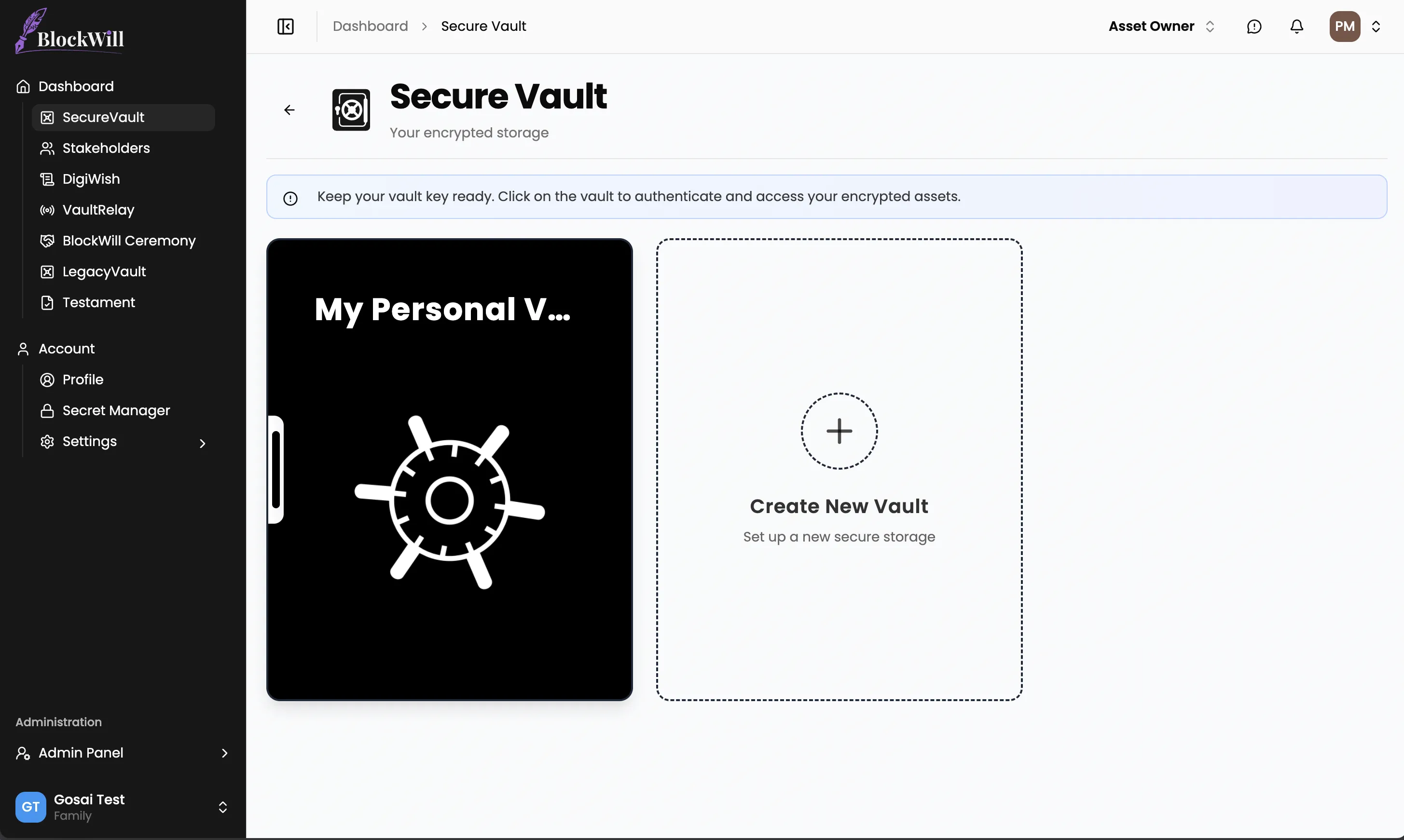
Navigate to the SecureVault tab from your dashboard. If this is your first time, you will see a prompt to create a new vault. Give it a name. "Personal Estate Documents," "Crypto Backups," whichever makes sense for how you organize your life.
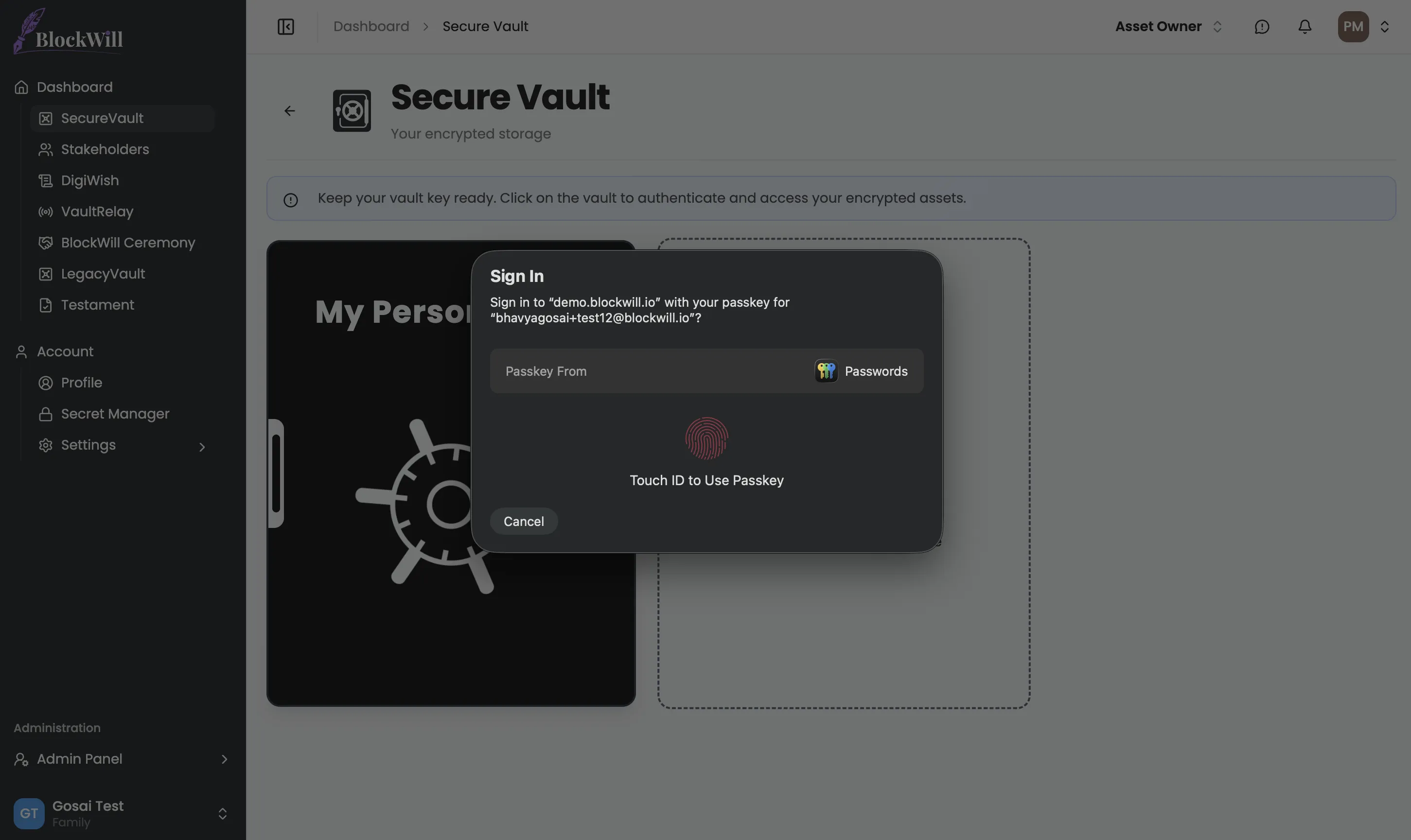
When you open an existing vault, your browser will prompt you to authenticate with your passkey. On a MacBook, that means Touch ID. On an iPhone, Face ID. On a YubiKey, a physical tap.
What happens under the hood is more interesting than the fingerprint scan suggests. Your passkey does not simply prove your identity. It performs a cryptographic operation called PRF (Pseudo-Random Function evaluation). The hardware key computes an HMAC-SHA-256 using an internal secret that never leaves the device, combined with a salt unique to your vault. The 32-byte output becomes your Key-Encryption-Key (KEK), which unwraps your vault's master key from our database. The master key loads into your browser's memory as a non-extractable CryptoKey object. It cannot be read even by JavaScript running on the same page.
You see a fingerprint prompt. The system sees a three-layer key hierarchy resolving itself without a single byte of key material crossing the network in plaintext.
Step 2: Pick your file
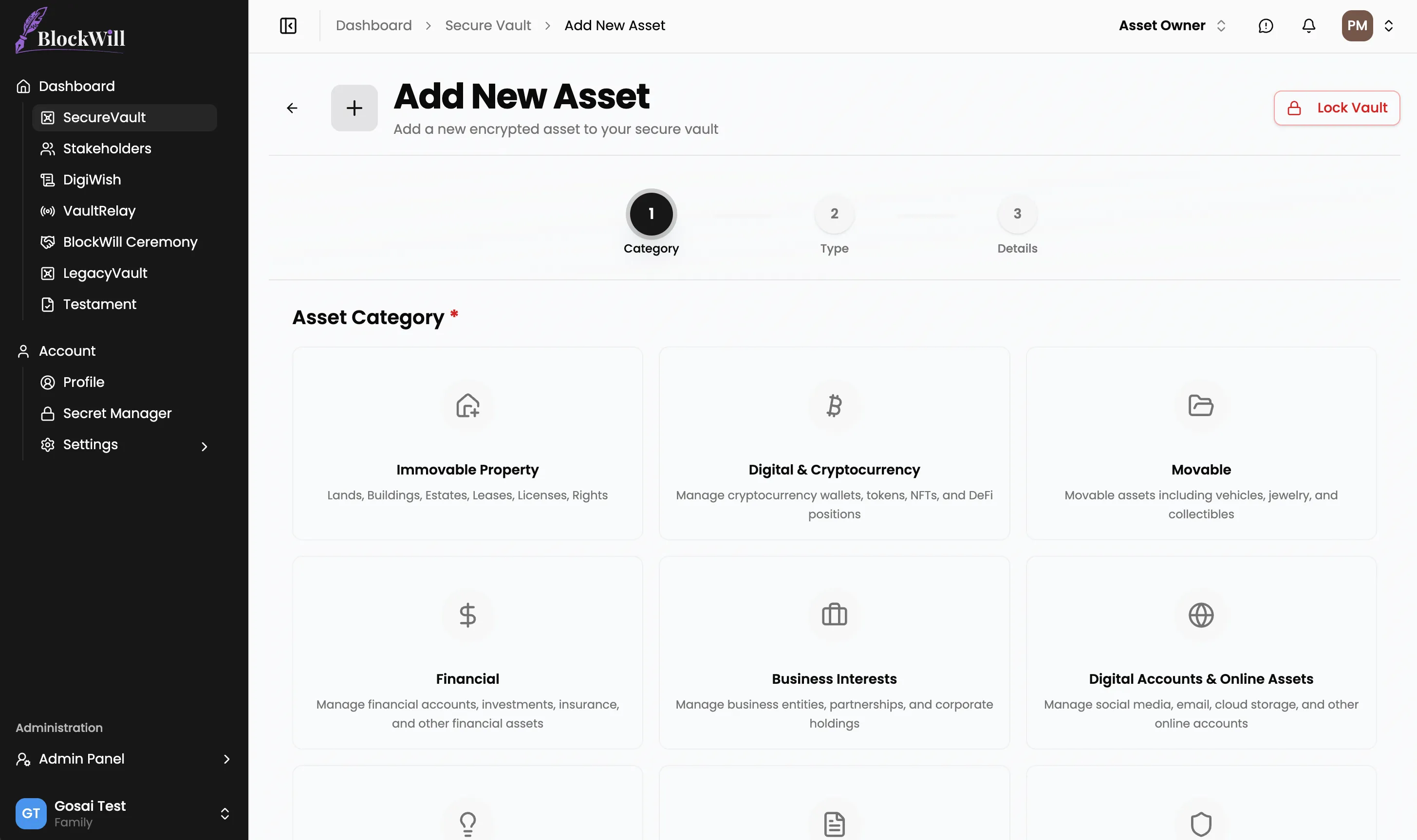
Click "Add Asset" and you will enter a guided form. SecureVault organizes files by category, including Legal Documents, Financial Records, Digital Assets, Insurance, and Personal. You select a category, then a type within that category, then an optional subtype. For a trust document, that path might look like: Legal Documents, then Trust Documents, then Living Trust.
The form adapts to your selection. A crypto wallet backup asks different questions than a property deed. You fill in the relevant metadata fields (names, dates, reference numbers, notes) and then you reach the file picker.
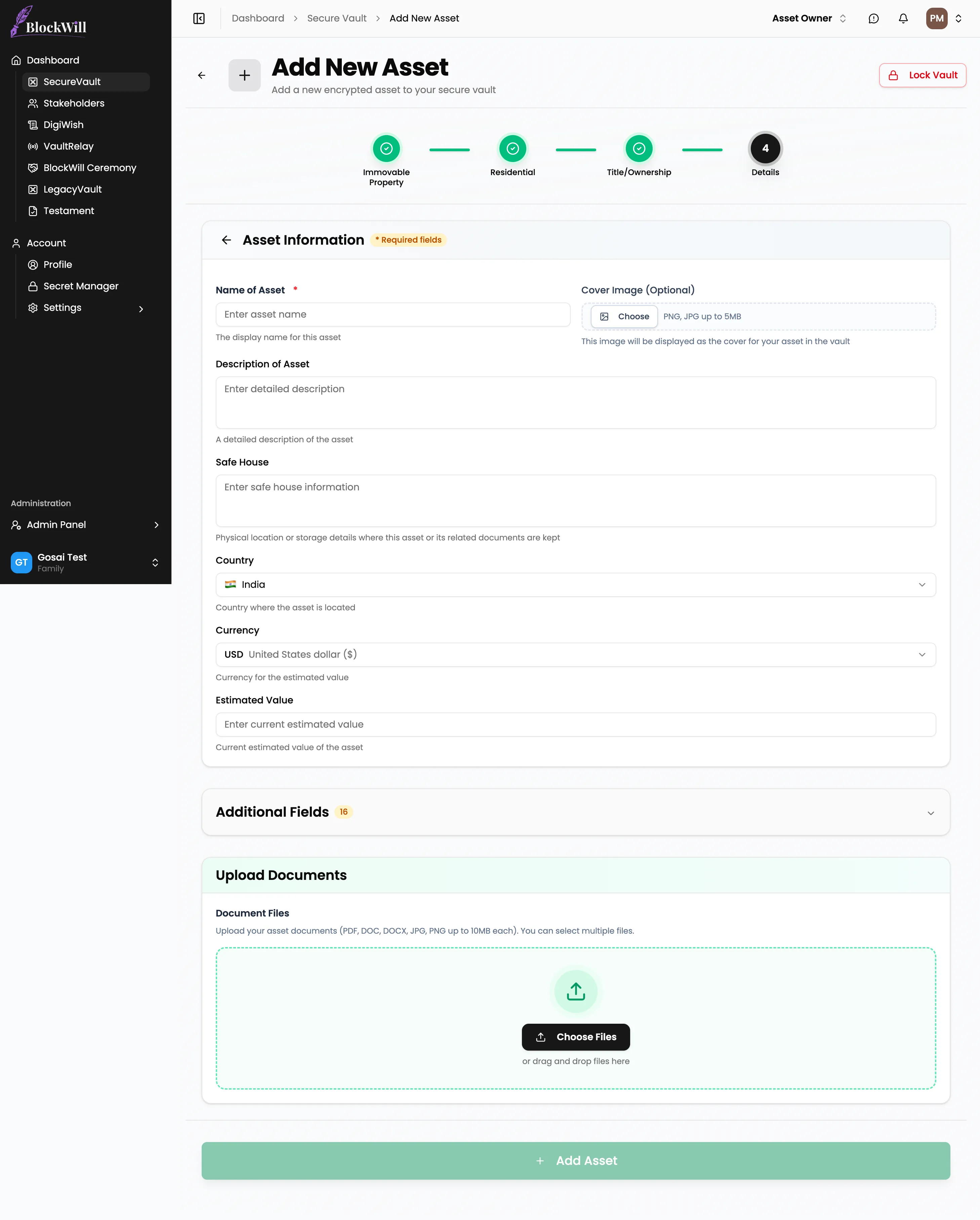
Drag your file in or click to browse. SecureVault accepts PDFs, images, Word documents, spreadsheets, and most common file formats, up to 100 MB per file. There is one deliberate restriction: SVG files are blocked, because SVG is an XML format that can carry embedded scripts, making it a vector for cross-site scripting that has no place inside a document vault.
Your file sits in browser memory. It has not been uploaded yet. It has not been sent anywhere. What happens next is the part that matters.
Step 3: Client-side encryption
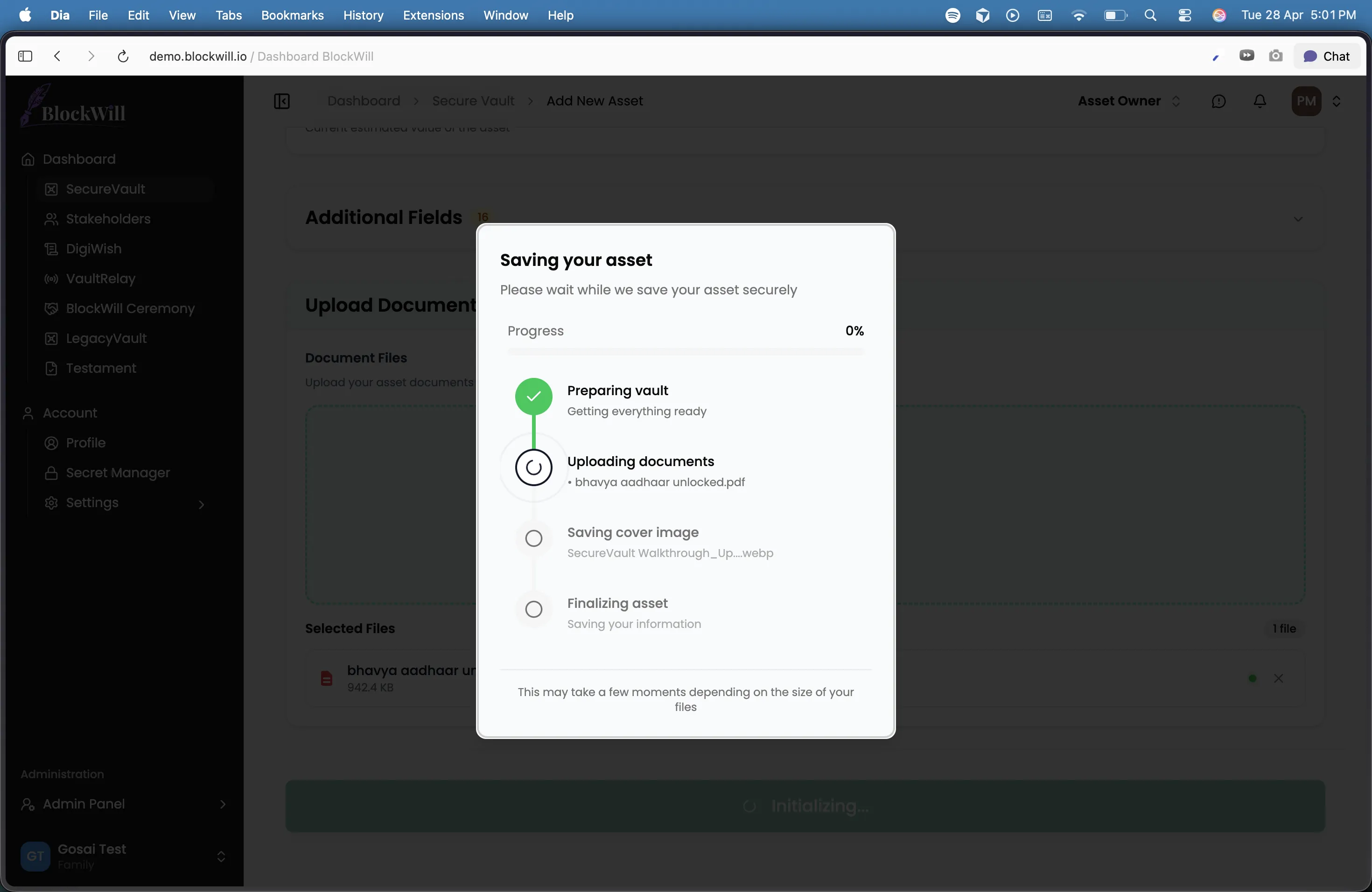
When you hit submit, the first thing that happens is not an upload. It is encryption.
Your browser reads the file into an ArrayBuffer, raw binary data in memory. Then it calls the Web Crypto API's encrypt method with three inputs: the algorithm (AES-256-GCM), a freshly generated 12-byte initialization vector (IV), and your vault's master key.
AES-256-GCM is the cipher specified in NIST Special Publication 800-38D. It is an authenticated encryption mode, which means it does not just scramble the data. It also produces a 16-byte authentication tag that is mathematically bound to both the ciphertext and the IV. If a single bit of the encrypted file is altered after encryption, the authentication tag will not match during decryption, and the operation will fail. This is not a feature you enable. It is how GCM works by default.
The 12-byte IV is generated using crypto.getRandomValues(), a cryptographically secure random number generator provided by the operating system. Every file gets its own IV. Even if you upload the same document twice, the ciphertext will be completely different, because the IV is different. An attacker observing your encrypted files cannot tell whether two files contain the same content.
After encryption, your browser also computes a SHA-256 hash of the encrypted data. This hash serves as a fingerprint, a way to verify later that the file stored on the server is exactly what your browser uploaded, byte for byte.
At this point, the original file data is gone from the pipeline. Everything that follows (the upload, the storage, the database record) operates on ciphertext that is indistinguishable from random noise without the master key.
Step 4: Upload to cloud storage
Your browser requests a pre-signed upload URL from BlockWill's server. The server checks four things before issuing one: that your session is valid, that the file size is within your plan's storage limit, that the MIME type is in the allowlist, and that your organization has not exceeded its storage quota. If all checks pass, the server generates a time-limited upload URL that expires in 15 minutes.
The encrypted file is then uploaded directly to cloud storage as an application/octet-stream blob. The Content-Type is deliberately generic. Because the file is encrypted, the actual format is irrelevant and should not be disclosed. The upload goes straight from your browser to storage. It does not pass through BlockWill's application servers as an intermediary, which means there is no point in the pipeline where an unencrypted file could be intercepted.
Once the upload completes, the server creates a database record linking the file to your vault, including the storage key, the SHA-256 hash of the ciphertext, the file size, and the user who uploaded it. An encrypted audit log entry is created using a separate encryption key reserved for audit data.
Step 5: Metadata encryption and verification
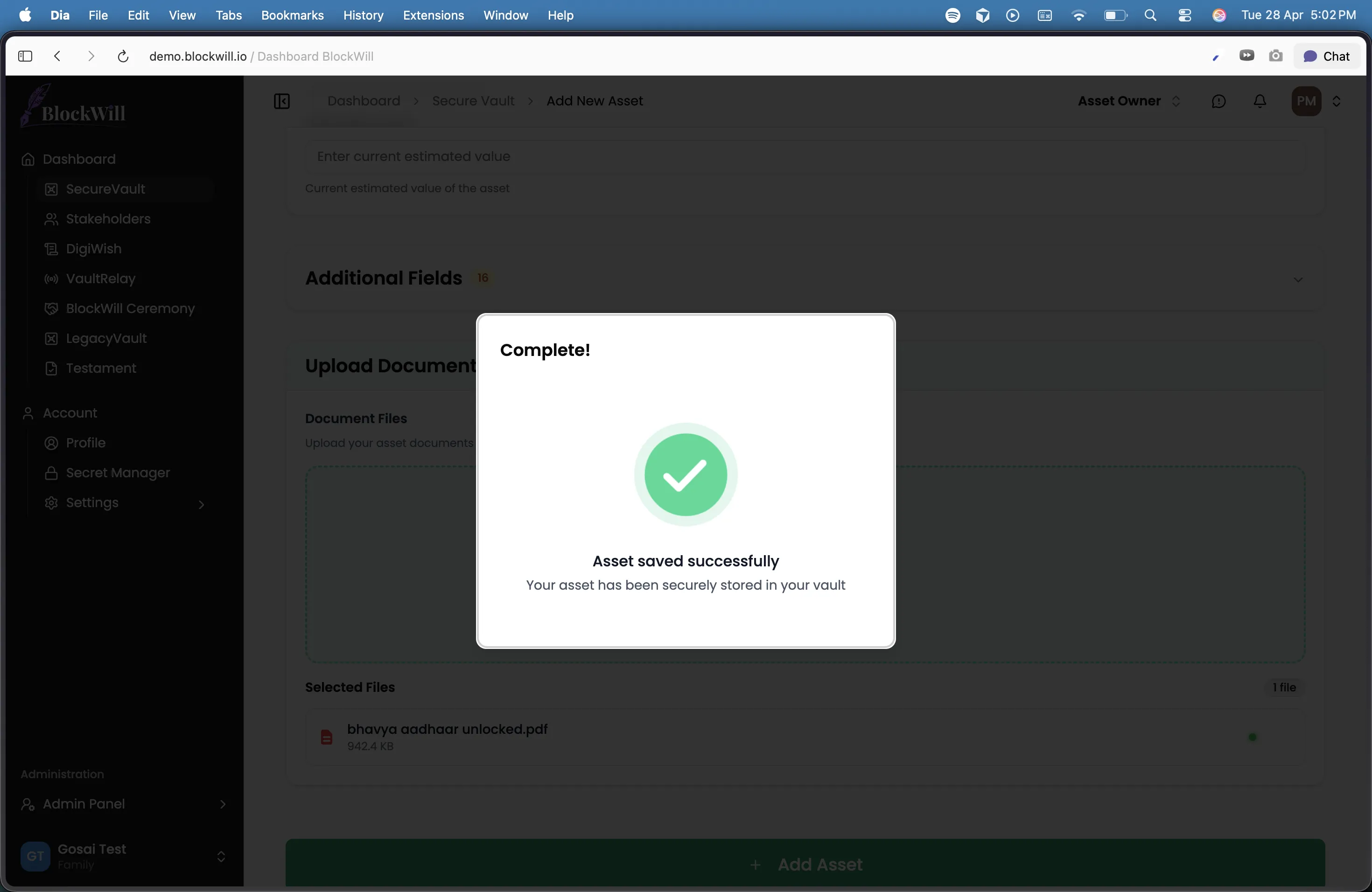
Your file is stored. But SecureVault also maintains an encrypted metadata index for each vault, a JSON structure listing every file, its category, its tags, its IV, and any form fields you filled in.
This metadata is encrypted with the same master key, using a fresh 12-byte IV, and uploaded to a separate path in cloud storage. The IV is prepended to the encrypted blob so it can be extracted during decryption. When you open your vault next time, this metadata file is downloaded and decrypted in your browser to populate the file list. The server never parses it, because the server cannot decrypt it.
For trust documents and wills, SecureVault goes a step further. A cryptographic hash of the document is recorded on the Polygon blockchain, creating timestamped, immutable proof that this exact version existed at this exact moment. If a dispute arises about which version of a trust was current, the blockchain record settles it. The hash does not reveal the document's contents. It simply proves they have not changed since the timestamp.
What the server actually sees
After you upload a document, here is what exists on BlockWill's infrastructure:
A blob of encrypted data that is computationally indistinguishable from random noise. A SHA-256 hash of that blob. A database record noting the file size, the upload timestamp, and the vault it belongs to. An encrypted audit log entry. An encrypted metadata file that the server cannot parse.
There is no plaintext. There is no file name in the clear. There is no way to determine whether the file is a PDF or a JPEG, a trust deed or a grocery list. The master key exists only in your browser's memory, protected as a non-extractable CryptoKey, and it is cleared when you lock the vault or close the tab.
If BlockWill's servers were compromised tomorrow, an attacker would find encrypted blobs, encrypted metadata, and encrypted audit logs. They would need your passkey, a physical device performing a hardware-backed cryptographic operation, to derive the KEK and unwrap the master key.
Why this matters for your family
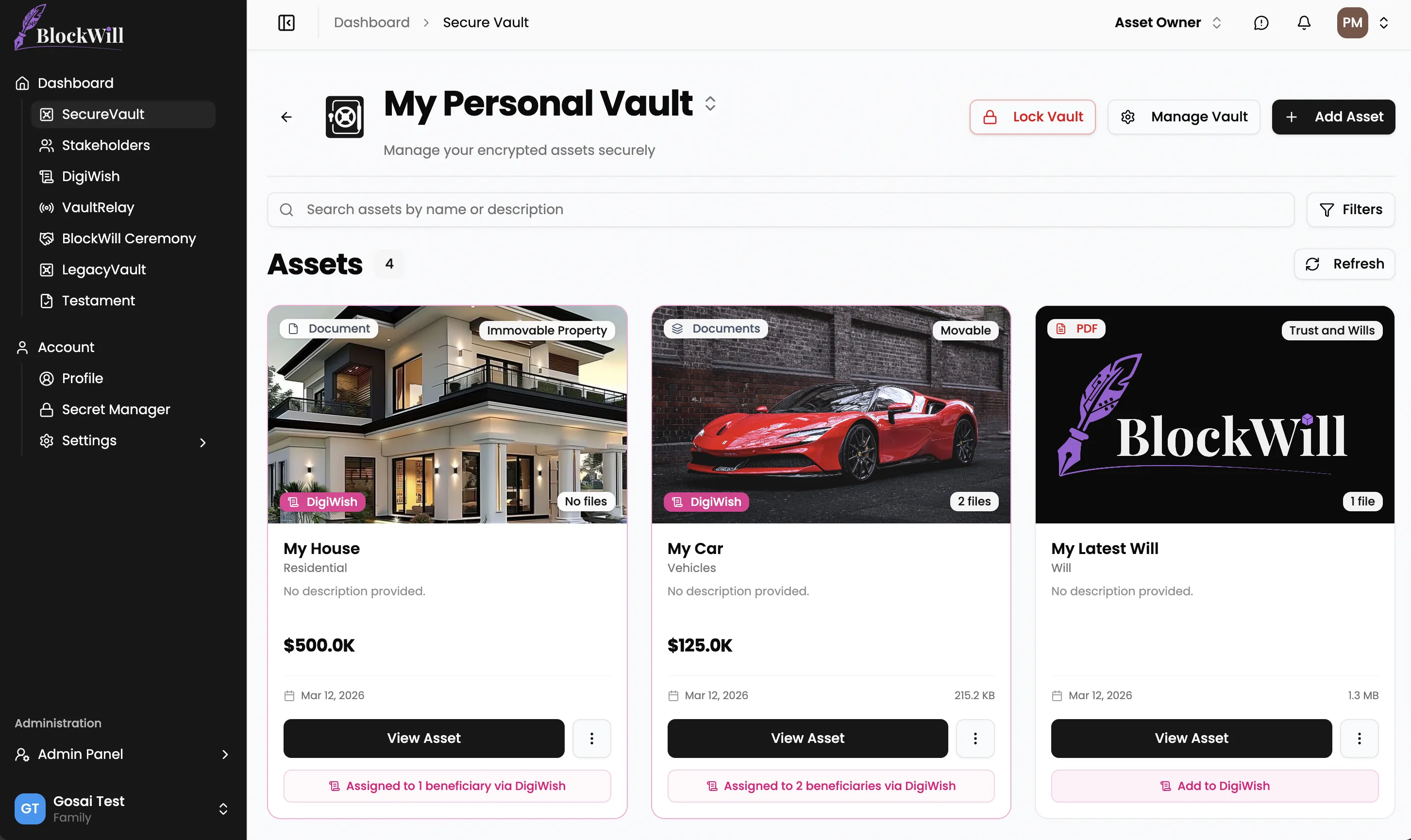
SecureVault is not a personal password manager. It is estate infrastructure.
When you store a document in SecureVault, you are not just protecting it from attackers today. You are making it available to your family through VaultRelay, BlockWill's inheritance trigger system, when you are no longer around to hand it over yourself.
Your executor confirms a triggering event, or the inactivity timer you configured runs out, and VaultRelay releases the decryption keys to the people you designated. They get access to the same vault, with the same files and organizational structure you built, decrypted in their own browser using vault keys that were securely provisioned during setup.
The document you uploaded five minutes ago, or five years ago, reaches your family exactly as you stored it. Verified by its SHA-256 hash, authenticated by its GCM tag, and timestamped on the blockchain if it was a will or trust.
That is what uploading a file to SecureVault actually does. It is not a file upload. It is a commitment, cryptographic, legal, and personal, that what you stored will reach the people who need it, intact and private, on the day it matters most.
Frequently Asked Questions
What is SecureVault?
SecureVault is BlockWill's zero-knowledge document vault for sensitive estate and financial documents. Every file is encrypted on your device with AES-256-GCM before it ever leaves your browser, so BlockWill's servers only ever see encrypted bytes. It is built specifically for documents your family will need when you are no longer around to hand them over yourself.
What does zero-knowledge encryption mean in plain English?
It means BlockWill has zero knowledge of what is inside your files. The encryption keys live in your browser, protected by your hardware passkey. No employee, no server process, and no court order can produce a plaintext copy of your documents, because the plaintext never reaches our infrastructure in the first place.
What file types and sizes can I upload to SecureVault?
SecureVault accepts PDFs, images, Word documents, spreadsheets, and most common file formats up to 100 MB per file. SVG files are deliberately blocked, because SVG is an XML format that can carry embedded scripts and has no place inside a document vault.
Why does SecureVault use a passkey instead of a password?
Passwords get phished, reused, written down, and forgotten. A passkey is a hardware-backed credential (Touch ID, Face ID, or a YubiKey) that never leaves your device. It performs a cryptographic operation called PRF to derive your vault's Key-Encryption-Key, which means there is no master password sitting in a database for an attacker to steal.
What happens if I lose my passkey or device?
This is why SecureVault supports multiple vault keys. You can register more than one passkey (for example, your laptop, your phone, and a backup YubiKey) so losing one device does not lock you out. If you lose all of your registered keys, BlockWill cannot recover your vault, because we do not hold the keys. That is the trade-off zero-knowledge requires, and it is why redundant key registration matters.
Can BlockWill recover my files if I forget how to access them?
No. By design, BlockWill cannot decrypt your vault. The master key that unlocks your files is wrapped by a Key-Encryption-Key derived from your passkey, and that derivation only works on a device holding your registered hardware key. This is the same property that protects you from a server breach, and the reason registering multiple keys is important.
Where are my encrypted files actually stored?
Your encrypted files are uploaded directly from your browser to cloud storage using a short-lived pre-signed URL. They never pass through BlockWill's application servers as an intermediary. What gets stored is an encrypted blob, a SHA-256 hash of that blob, and a database record with the file size and vault association. The actual file format and contents are never visible to us.
How is SecureVault different from Google Drive, Dropbox, or a password manager?
Google Drive and Dropbox encrypt files in transit and at rest, but they hold the keys, which means their staff, their automated systems, and any party with legal leverage can theoretically access your data. Password managers are built for short secrets, not 100 MB documents. SecureVault is built specifically for sensitive long-form documents with client-side encryption and inheritance triggers, so the same vault that protects you today also reaches your family when it matters.
What is AES-256-GCM and why does SecureVault use it?
AES-256-GCM is the authenticated encryption standard specified in NIST SP 800-38D. "Authenticated" means it does not just scramble the data, it also produces a 16-byte tag bound to both the ciphertext and the initialization vector. If a single bit of your encrypted file is altered after upload, decryption will fail loudly rather than silently returning corrupted data. Every file gets its own random 12-byte IV, so two uploads of the same document produce completely different ciphertexts.
How do my family members access my vault when I am no longer around?
SecureVault works with VaultRelay, BlockWill's inheritance trigger system. When a triggering event is confirmed (executor verification, the inactivity timer running out, or another condition you configured), VaultRelay releases the decryption keys to the people you designated during setup. They get access to the same vault, with the same files and folder structure, decrypted in their own browser using vault keys provisioned for them.
Is the name of my file visible to BlockWill?
No. File names, categories, tags, and any form fields you fill in are stored inside an encrypted metadata index for each vault. The index is encrypted with the same master key and uploaded as a separate blob. The server cannot parse it, so the only thing visible server-side is an opaque blob, a hash, and a size.
Are wills and trusts treated differently from other documents?
Yes. For wills and trust documents, SecureVault also records a cryptographic hash of the document on the Polygon blockchain. This creates a public, timestamped, immutable proof that the exact version existed at the exact moment you uploaded it. The hash reveals nothing about the document's contents, but it ends any future dispute about which version is current.
Further reading:
- The Security Standard That Protects Your Crypto, Accounts, and Family's Future, a deeper look at hardware authentication and zero-knowledge encryption across BlockWill.
- Most Families Have No Idea What Assets Exist, why documenting your assets in SecureVault matters for inheritance.
- NIST SP 800-38D: Recommendation for GCM Mode, the specification behind AES-256-GCM authenticated encryption.
- Web Crypto API, MDN Web Docs, the browser cryptography engine SecureVault runs on.